As Edmodo alternatives 2025 takes center stage, educators and learners alike are on the hunt for innovative platforms that can enhance the learning experience. With the rapid evolution of educational technology, it’s essential to explore the diverse options available that offer unique features and user-friendly interfaces.
This overview not only highlights the top alternatives to Edmodo for the upcoming year but also delves into the key features that set these platforms apart. By comparing user experiences and feedback, we aim to provide a comprehensive guide for educators seeking effective tools for modern classrooms.
Edmodo Alternatives Overview
As the digital education landscape evolves, educators and students alike are seeking effective platforms for collaboration and communication. Edmodo has long been a player in this field, but as we move into 2025, various alternatives are emerging that offer unique features and user experiences. This overview highlights some of the top Edmodo alternatives, examining what sets them apart and sharing insights from user feedback.Among the alternatives to Edmodo, several platforms have gained traction due to their innovative features and user-friendly interfaces.
Each of these platforms caters to different educational needs, whether for K-12, higher education, or professional development. Understanding these differences is crucial for educators looking to enhance their teaching and learning environments.
Top Edmodo Alternatives
The following platforms are recognized as some of the leading alternatives to Edmodo in 2025, each offering distinct advantages:
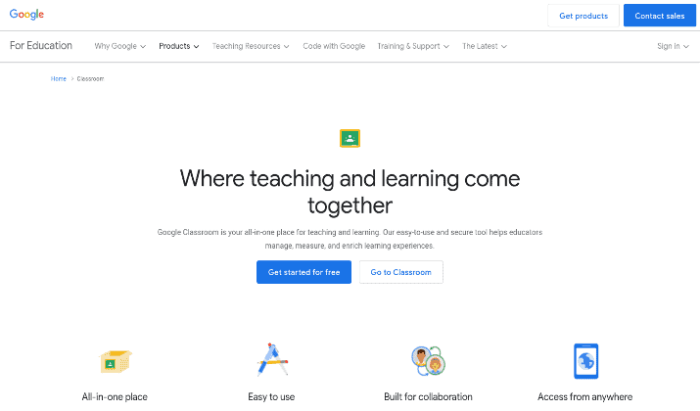
- Google Classroom: A free service that integrates seamlessly with Google Workspace, allowing educators to create classes, distribute assignments, and communicate with students efficiently. It is praised for its simplicity and robust integration with other Google tools.
- Microsoft Teams for Education: This platform combines classroom management with collaboration features. It supports video conferencing, file sharing, and integrates with Office 365 applications, making it a comprehensive tool for both teaching and teamwork.
- Moodle: An open-source learning platform known for its flexibility and customizability. Moodle is favored in higher education for its vast array of plugins and the ability to create personalized learning experiences.
- Schoology: Offers a blend of learning management and social networking features. Users appreciate its user-friendly interface and extensive assessment tools, which facilitate both formative and summative assessments.
- Canvas: Known for its intuitive design and powerful analytics, Canvas is particularly popular in higher education. It provides tools for course management, grading, and student engagement analytics.
Key Features Comparison
When comparing these platforms, certain features stand out as differentiators that affect user experience and educational effectiveness. The following table summarizes the key features of each Edmodo alternative:
| Platform | Key Features | User Feedback Highlights |
|---|---|---|
| Google Classroom | Assignment management, Google integration, mobile access | Users love its simplicity and ease of use. |
| Microsoft Teams for Education | Video conferencing, collaboration tools, integration with Office 365 | Users appreciate the all-in-one experience for teaching and collaboration. |
| Moodle | Customizable course management, extensive plugins | Users value its flexibility but note a steeper learning curve. |
| Schoology | Social learning features, comprehensive assessment tools | Users enjoy the social networking aspect and user-friendly interface. |
| Canvas | Analytics, mobile learning, intuitive design | Users appreciate its modern look and powerful analytics capabilities. |
User Experiences and Feedback
User experiences vary widely across platforms, influenced by personal preferences and institutional needs. It is beneficial to consider both qualitative and quantitative feedback from users to assess which platform might be the best fit.
“The seamless integration with Google tools makes Google Classroom an essential tool for my daily teaching.”
A high school teacher
“Microsoft Teams has transformed our group projects. The collaboration tools are fantastic!”
A college student
In general, educators favor platforms that streamline communication and improve student engagement. Each platform’s community forums and support systems also play a role in user satisfaction, as responsive support can significantly enhance the overall experience. As alternatives to Edmodo continue to evolve, it will be interesting to observe how these platforms adapt to meet the changing demands of educators and learners.
Education Tools and Their Evolution
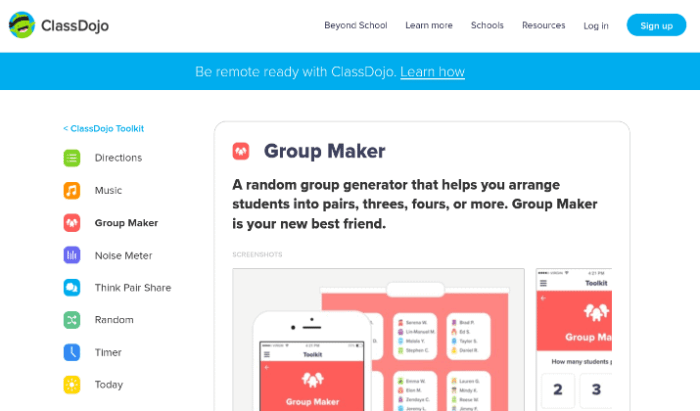
The landscape of educational tools has undergone significant transformation over the years, influenced by technological advancements, pedagogical innovations, and the evolving needs of learners. From traditional classroom settings to online learning platforms, the tools designed to facilitate education have adapted to improve engagement, accessibility, and effectiveness in teaching and learning.The evolution of educational tools can be traced back to simple teaching aids such as chalkboards and textbooks, progressing to more complex digital platforms that support interactive and personalized learning experiences.
Effective education tools in modern learning environments are characterized by their ability to enhance collaboration, provide instant feedback, and cater to diverse learning styles. These tools not only foster an inclusive atmosphere but also enable educators to track student progress with data-driven insights.
Emerging Trends in Educational Technology for 2025
As we look ahead to 2025, several trends are set to shape the future of educational technology. These trends reflect a growing emphasis on personalized learning, accessibility, and the integration of advanced technologies into the educational experience. Understanding these trends is crucial for educators and institutions to remain competitive and relevant.
- Artificial Intelligence in Learning: AI is expected to play a key role in personalizing learning experiences, providing tailored resources to students based on their individual needs and progress.
- Augmented and Virtual Reality: The immersive capabilities of AR and VR will enhance experiential learning, allowing students to engage in simulations and real-world scenarios from their classrooms.
- Gamification: Incorporating game design elements into educational tools will increase engagement and motivation among learners, transforming traditional lessons into interactive experiences.
- Data-Driven Instruction: Educators will leverage big data analytics to assess student performance and adapt instructional strategies, making learning more effective and targeted.
- Mobile Learning: The rise of mobile devices will facilitate learning anytime and anywhere, making education more accessible and convenient for students of all ages.
- Blockchain Technology: This technology will enhance the security and verification of educational credentials, ensuring trust and integrity in the certification process.
“The future of education is not just about technology; it’s about creating learning experiences that are engaging, relevant, and tailored to the needs of every student.”
Enhancing Learning with New Platforms
As traditional educational methods continue to evolve, alternative platforms are stepping in to enrich the learning environment. These platforms provide innovative tools that can be tailored to meet the diverse needs of students. Implementing these alternatives can be a game-changer for educators, enabling them to create dynamic and engaging classrooms.Alternative educational tools significantly enhance student engagement by offering interactive and personalized learning experiences.
With features such as gamification, real-time feedback, and collaborative projects, these platforms foster a sense of community among learners. The increased interactivity and ability to access resources anytime, anywhere, cater to various learning styles, making it easier for students to connect with the material and each other.
Guide for Implementing Alternative Platforms
For educators considering the integration of alternative platforms in their classrooms, establishing a structured approach can ensure a smooth transition. Below is a guide to help teachers effectively implement these tools:
1. Identify Educational Goals
Determine the specific objectives you want to achieve with the new platform, aligning them with your curriculum.
2. Research Available Platforms
Explore various options that fit your goals, considering factors like usability, integration capabilities, and support resources.
3. Pilot the Platform
Before a full rollout, testing the platform with a small group of students can help identify potential challenges and benefits.
4. Train Educators and Students
Offer training sessions to familiarize both teachers and students with the platform’s features and functionalities.
5. Gather Feedback
Regularly collect feedback from users to assess the platform’s effectiveness and make necessary adjustments.
Impact on Student Engagement
Alternative educational tools can significantly affect how students interact with the learning material. By prioritizing engagement, educators can create more vibrant and participatory classrooms. The elements that contribute to enhanced engagement include:
Interactivity
Tools that incorporate quizzes, polls, and discussions foster a more active learning environment.
Personalization
Students can learn at their own pace and choose resources that resonate with their interests, increasing motivation.
Collaboration
Platforms that enable group projects encourage teamwork and enhance communication skills among peers.
“Engagement is the key to effective learning; when students are involved, they learn better.”
Essential Features in New Learning Platforms
When selecting new learning platforms, educators should prioritize a set of essential features that enhance both teaching and learning experiences. These features include:
User-Friendly Interface
A straightforward and intuitive design makes it easier for both teachers and students to navigate the platform.
Compatibility with Devices
The platform should work seamlessly across various devices, including tablets, smartphones, and computers.
Assessment Tools
Built-in tools for quizzes, assignments, and progress tracking provide valuable insights into student performance.
Collaboration Features
Options for discussion boards, group work, and peer feedback encourage collaboration among students.
Support Resources
Access to tutorials and customer support ensures that users can resolve issues quickly.Introducing alternative platforms into the classroom can be a powerful way to elevate the educational experience. By focusing on effective implementation, understanding the impact on student engagement, and recognizing the essential features, educators can create a more dynamic and inclusive learning environment.
Final Wrap-Up
In conclusion, the landscape of educational tools is constantly evolving, and understanding the best Edmodo alternatives for 2025 is crucial for fostering student engagement and enhancing learning outcomes. As we embrace these new platforms, educators can take advantage of innovative features that support diverse teaching methods and cater to the needs of today’s learners.
FAQ Insights
What are the top alternatives to Edmodo for 2025?
The top alternatives include Google Classroom, Schoology, and Microsoft Teams for Education, each offering unique features tailored to different educational needs.
How can these alternatives improve student engagement?
These platforms provide interactive tools, real-time feedback, and collaboration features that foster engagement and participation among students.
Are these alternatives user-friendly for teachers?
Yes, most of these platforms are designed with intuitive interfaces, making it easier for teachers to integrate them into their classrooms without extensive training.
What key features should educators look for in new platforms?
Educators should consider features such as ease of use, collaboration tools, assessment capabilities, and integration with other educational resources.
How do user experiences compare among these platforms?
User experiences vary; however, many educators find positive feedback regarding flexibility, support, and features that promote a more interactive learning environment.


